Autopapyrus · Infiniti EX35 (1st generation, J50)
https://autopapyrus.com/guides/infiniti/ex35/diagnosing-brake-squeal-and-servicing-the-front-brakes/
https://autopapyrus.com/guides/infiniti/ex35/diagnosing-brake-squeal-and-servicing-the-front-brakes/
Compiled automatically from service literature and owner experience. Specs are for the typical configuration — check them against your exact car before you start.
Infiniti EX35 (1st generation, J50): Diagnosing Brake Squeal and Servicing the Front Brakes
Front brake squeal on the EX35 is most often caused by pad vibration in the bracket (dirt, rust, missing anti-squeal shims), glazed pads or rotors, or an activated wear indicator. This is a heavy crossover and the front brakes work hard, so the assembly needs to be disassembled, cleaned and lubricated at the right points. If the pads or rotors are worn, replace them.
Part
- 🔩 Front brake pad set (ceramic or low-metallic, with noise-damping shims). Caliper slide pin repair kit or pad hardware kit (clips and springs). Brake rotors (pair), only if worn below minimum thickness or heavily scored. I am not listing OE numbers: on the J50 the contents of the kits depend on the brake package, so buy pads and rotors by VIN or by the size of your existing rotors
Step by step
14 steps- Identify the type of noise. Squeal only at low speed and with light braking usually means pad vibration or a film on the rotor. A constant metallic squeal while driving without braking means the wear indicator has contacted the rotor or a pad is rubbing it. Grinding when braking means the pads are worn down to metal and the vehicle must not be driven further.
- Loosen the lug nuts 1/4 turn, raise the front of the vehicle, set it on jack stands and remove the wheel. Never work with the vehicle supported only by a jack.
- Inspect the pads through the caliper window. The minimum remaining friction material is about 2-3 mm; replace the pads if it is less. Check for even wear across each pad and between the inner and outer pads. A taper or uneven wear points to sticking slide pins or pistons.
- Inspect the rotor. Deep grooves, a lip at the edge, a bluish color from overheating, or heavy rust on the friction surface mean the rotor must be replaced or resurfaced. Measure the rotor thickness with a caliper and compare it with the minimum value stamped on the rotor. If it is unreadable, judge by the height of the wear lip.
- Remove the two bolts that secure the caliper to the steering knuckle, or the slide pin bolts, depending on the design. Remove the caliper and hang it with wire or cord; do not let it hang by the brake hose. Do not press the brake pedal while the caliper is removed.
- Remove the pads, anti-squeal shims and the bracket (if you need to replace its clips and springs or clean the pad seats). Note the position of each part, preferably by taking a photo.
- Clean the pad seats in the bracket with a wire brush to remove rust and dirt, then treat them with brake cleaner. If rust buildup is making a pad bind, remove it with a fine file or by sanding. The pad must slide freely in the bracket slots.
- Check and lubricate the caliper slide pins. Pull out the pins, wipe them clean and inspect the boots. Replace torn boots or sticking pins. Apply a thin layer of dedicated caliper slide pin grease. Do not use ordinary graphite or copper anti-seize grease, which can damage the rubber parts.
- Wipe the rotor with brake cleaner. If the rotor is not being replaced but is glazed, remove the glaze by sanding in a circular motion with fine sandpaper, or by light resurfacing. Clean rust off the hub face under the rotor so the rotor has no runout; this is a common cause of squeal and vibration.
- Apply a thin layer of anti-squeal paste to the back of the pad and to the contact points of the shims. Keep grease off the friction material and the rotor surface. Install the pads with new noise-damping shims and clips if they came in the kit.
- Slowly push the caliper pistons back with a C-clamp or a special tool. There are several pistons, so push them back evenly, and watch the fluid level in the reservoir to avoid overfilling it. If the pistons move stiffly or cock sideways, the caliper needs repair.
- Reinstall the caliper and tighten the bolts with a torque wrench. The torque for caliper and bracket bolts on assemblies like this is usually in the range of 90-120 N·m (66-89 lb-ft); confirm the exact value in the manufacturer's service manual for your configuration. Tighten the lug nuts in a crisscross pattern, with a target of about 100-120 N·m (74-89 lb-ft).
- Pump the brake pedal several times until it is firm, and check the brake fluid level. If you installed new pads, bed them in: make 8-10 moderate stops from 50-60 km/h down to 10-20 km/h without coming to a full stop, then let the brakes cool by driving without braking.
- If the squeal remains after bedding in and cleaning, check the wheel bearing and the condition of the wear sensor (wire or tab). A bent wear indicator often rubs the rotor and whistles; you can bend it back slightly or replace the pad.
Common mistakes and warnings
- Brakes are a safety system. If you lack experience, leave the job to a repair shop, especially in cases of heavy wear, uneven piston movement, fluid leaks, or steering wheel vibration when braking. After assembly, be sure to check the pedal feel and braking at low speed in a safe area before entering traffic. Pads and rotors must be replaced in pairs on an axle; do not work on just one side.
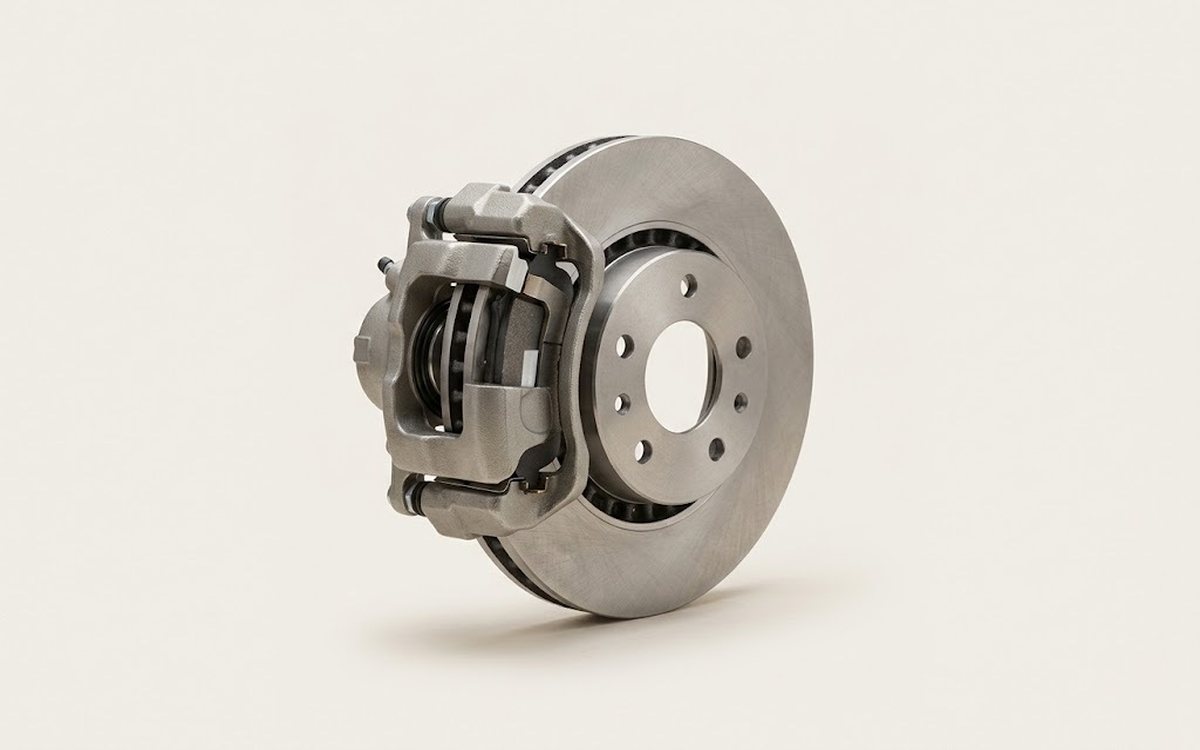 How it works · 3D
How Car Brakes Work
How the part you're working on actually works — in plain English, on a 3D model.
Open in 3D →
How it works · 3D
How Car Brakes Work
How the part you're working on actually works — in plain English, on a 3D model.
Open in 3D →