Autopapyrus · Ford Explorer V 3.5 Duratec (2019)
https://autopapyrus.com/guides/ford/explorer/a-c-evaporator-replacement-front/
https://autopapyrus.com/guides/ford/explorer/a-c-evaporator-replacement-front/
Compiled automatically from service literature and owner experience. Specs are for the typical configuration — check them against your exact car before you start.
Ford Explorer V 3.5 Duratec (2019): A/C Evaporator Replacement (Front)
Replacing the evaporator on the fifth-generation Explorer (2011-2019) is an expert-level job. It takes 8-12+ hours and requires removing the entire dashboard. Important: many 2011-2019 Explorers with rear A/C have a common leak point in the rear A/C lines. Be sure to check them before disassembling the front of the vehicle, so you don't do unnecessary work. Any time the A/C system is opened, the receiver-drier and the expansion valve (TXV) must be replaced together with the evaporator. This guide covers the front evaporator. The rear evaporator (on vehicles with the rear A/C option) is replaced separately, through the headliner trim in the rear of the cabin.
Parts
4- 🔩 Front evaporator assembly with TXV and temperature sensor (OE DG1Z-19850-D for 2013-2019 Explorer. Confirm the final part number by VIN with a dealer. Aftermarket equivalents: TYC 97372, GPD 4811934)
- 🔩 Receiver-drier/accumulator (OE Motorcraft YF37331 for 2014-2019 Explorer. Confirm by VIN)
- 🔩 A/C line O-ring seal kit (equivalent: Four Seasons 26770 or a similar assorted kit)
- 🔩 PAG 46 oil (R134a compatible), 30-60 mL (1.0-2.0 fl oz) (equivalent: Motorcraft PAG-46 YN-12-D)
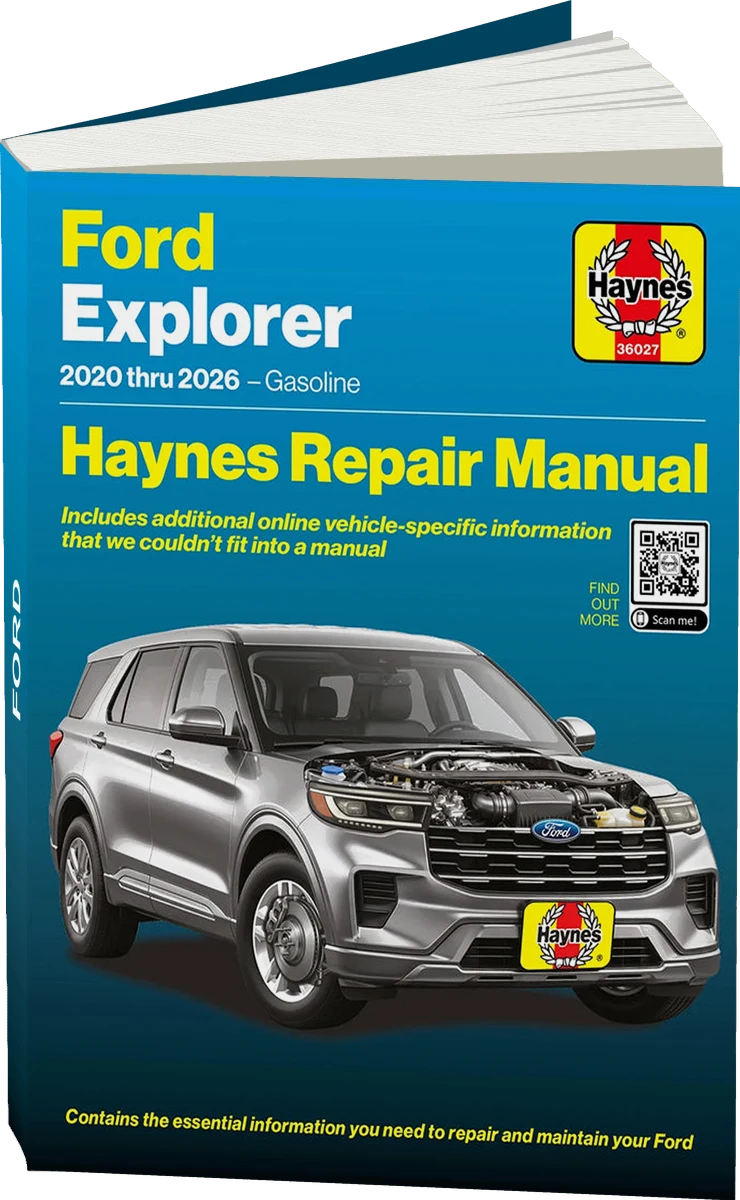 There's a full repair manual for this car
Every system, wiring diagrams and torque specs — not just this job. Haynes and 11 more.
See manuals →
There's a full repair manual for this car
Every system, wiring diagrams and torque specs — not just this job. Haynes and 11 more.
See manuals →
Step by step
53 steps · 7 phasesPhase 1 DIAGNOSIS AND PREPARATION 5 steps
- Confirm that the leak is actually in the front evaporator. Use a leak detector (electronic, or a UV lamp with dye) to locate the leak. On 2011-2019 Explorers, inspect the rear A/C lines for leaks first, before assuming the front evaporator has failed.
- Make sure the system is fully discharged and the refrigerant has been recovered with a certified recovery machine. Venting refrigerant to the atmosphere is illegal, and improper charging of the system can cause serious damage.
- Disconnect the negative battery terminal. Wait at least 10 minutes before starting work (SRS deactivation).
- Prepare the work area: clear out the cargo area and rear seat, and cover the fenders and hood with protective covers.
- Take detailed photos of all the connectors, harnesses and brackets you will remove. This will speed up reassembly.
Phase 2 CABIN PREPARATION AND TRIM REMOVAL 7 steps
- Remove the front sill plate on the passenger side (pry it up with a plastic trim tool from the front pillar toward the rear; it is held by clips).
- Remove the passenger-side A-pillar trim (the airbag cover trim. Work carefully, as it is held by clips).
- Remove the glove box: open it, press the side walls inward, and release it from the hinges. Unclip the stopper and disconnect the light connector.
- Remove the lower dash trim under the glove box: remove the Torx screws and pry from the corners.
- Remove the lower trim panel under the steering wheel on the driver's side (Torx screws, then clips), and remove the column trim.
- Unbolt and lower the steering column (bracket mounting bolts, usually 4) to make removing the dashboard easier. Do not disconnect the steering shaft.
- Remove the center console: take out the cup holders/ashtray, remove the Torx bolts at the front and rear of the lower console, lift the console and disconnect all connectors (heated seats, USB, power outlets, and the shifter if necessary).
Phase 3 DASHBOARD REMOVAL 6 steps
- Remove the air vent trim (side and center). They are usually held by clips and can be pried off with a trim tool.
- Disconnect all connectors in the lower part of the dashboard: passenger airbag module, sensors, harness connectors.
- Remove the dashboard mounting bolts: usually 2-3 bolts at the top (at the base of the windshield, reached from outside through the gap between the dashboard and the glass or under decorative caps), 2 bolts at the bottom by the A-pillars, and 2 bolts on the console side.
- Get a helper. With two people, carefully pull the dashboard toward you, moving it rearward into the cabin. Watch the wiring harnesses and do not pull abruptly.
- As you pull the dashboard out, disconnect all the remaining connectors one by one: instrument cluster, climate control, radio, switches and so on. Label each connector with a numbered sticker.
- Remove the dashboard completely from the cabin and set it on a clean blanket.
Phase 4 HVAC UNIT AND EVAPORATOR REMOVAL 10 steps
- From the engine compartment side, locate and disconnect the evaporator refrigerant lines at the firewall. Use a spring lock coupling tool to separate the evaporator lines. Cap the lines immediately with clean plugs so moisture cannot get inside.
- Remove the line pass-through seals at the firewall (rubber/foam grommets).
- In the cabin, locate the HVAC unit mounts to the firewall: usually 3-4 nuts/bolts on studs (accessed from the engine compartment) and 2-3 bolts from inside the cabin at the bottom. The torque for the climate housing fasteners is 8 N·m (71 lb-in).
- Disconnect all remaining connectors on the unit: blower motor, resistors, door actuators (usually 5-7), and the evaporator temperature sensor.
- With a helper, carefully slide the HVAC unit forward and remove it from the cabin in one piece. The unit is heavy, so do not drop it.
- Place the HVAC unit on a workbench. Remove the screws and take off the thermostatic expansion valve (TXV).
- Remove the evaporator line cover (remove the screws, release the retainer), remove the climate housing seal, and remove the line retaining bracket.
- Remove the screws, release the retaining clips and take off the evaporator cover. Remove the evaporator from the climate control housing.
- Remove the evaporator temperature sensor from the evaporator. You will need it for the new unit. Be careful, as the sensor is fragile.
- Wipe the inside of the HVAC housing with a dry rag to remove dirt, condensation residue and mold. Inspect the housing for cracks.
Phase 5 REPLACING THE EVAPORATOR AND RELATED PARTS 6 steps
- Install the evaporator temperature sensor on the new evaporator in the same position.
- Install the new evaporator in the HVAC housing. Make sure it is seated all the way, with no misalignment.
- Install the evaporator cover and tighten the screws. Install the climate housing seal.
- Install the new TXV. Use new O-rings on all connections, lubricated with R134a-compatible PAG-46 oil.
- Install the line retaining bracket, line cover and seals. Tighten to specification (8 N·m (71 lb-in) for the housing fasteners).
- Replace the receiver-drier/accumulator: disconnect the lines and remove the old one (it is located in the engine compartment near the condenser). Measure the amount of PAG oil that drained from the old accumulator and add exactly the same amount of fresh oil to the new one. This ensures proper compressor lubrication.
Phase 6 REASSEMBLY 11 steps
- With a helper, bring the HVAC unit back into the cabin and carefully start it onto the firewall studs. Do not tighten yet. Start all the fasteners first.
- Connect all the connectors on the HVAC unit (actuators, motors, sensors). Check that each connector is latched. It should click.
- Tighten the HVAC unit mounting bolts/nuts to 8 N·m (71 lb-in) per specification.
- From the engine compartment side, connect the evaporator refrigerant lines through the firewall. Install new O-rings lubricated with PAG-46. The spring lock couplings must engage with a click. Make sure the retaining rings are latched.
- Install the line seal grommets in the firewall.
- Bring the dashboard back in with a helper. Connect the connectors as the dashboard moves into place (in reverse order of the sticker numbers).
- Start and tighten all the dashboard bolts.
- Reinstall the steering column and tighten the bracket bolts.
- Install the center console, connect all connectors and tighten the bolts.
- Install the glove box, lower trim panels, pillar trim and sill plates.
- Reconnect the battery terminal.
Phase 7 EVACUATION, CHARGING AND TESTING 8 steps
- Connect the manifold gauge set to the A/C system service ports.
- Turn on the vacuum pump and evacuate the system for at least 30-45 minutes to a pressure of -0.9 bar (or lower). Turn off the pump and wait 15 minutes. If the vacuum holds, there is no leak.
- Charge the system with R134a according to the label under the hood (the capacity is listed on the factory plate). Add PAG-46 in the calculated amount (accounting for the evaporator and receiver volume).
- Start the engine and turn the A/C on at maximum cold and maximum fan speed. Let it run for 5-10 minutes.
- Check the system pressures on the gauges (the correct values depend on ambient temperature, so consult an R134a pressure chart). Check the air temperature at the vents (it should be 5-10°C with +25°C outside).
- Check all the line connections for leaks using soapy water from a spray bottle.
- Check blower operation at all speeds. Make sure all the door actuators work correctly (modes: floor/face/defrost, recirculation, temperature).
- Take a 10-15 minute test drive and confirm that the A/C works consistently with no unusual noises.
Common mistakes and warnings
- Working on the A/C system requires certified R134a refrigerant recovery equipment. Venting refrigerant to the atmosphere yourself is illegal. If you have no experience with A/C systems, leave the recovery and recharging to a professional with the proper equipment. Removing the dashboard involves the SRS (airbag) modules. Work only with the battery disconnected, and wait at least 10 minutes. Be sure to confirm the exact OE evaporator part number by VIN. For the 2019 Explorer 3.5, variants are possible depending on trim level (dual-zone / single-zone A/C). Given how labor-intensive this job is, using a quality OE or OEM-equivalent part is critical, because a repeat repair would cost three times as much in labor.