https://autopapyrus.com/catalog/suzuki/vitara/guides/brake-system-troubleshooting/
Suzuki Vitara (4th generation, LY): Brake System Troubleshooting
Diagnosis goes from simple to complex. First check the symptoms and fluid level, then inspect the pads, rotors and hoses, and finally check the brake booster and ABS codes. On the Vitara LY, the front rotors are ventilated, 280 mm in diameter and 22 mm thick, and the rear rotors are solid, 259 mm in diameter and 9 mm thick.
Key figures
- Minimum front rotor thicknessreplace the rotor below this value (step 6); a new one is 22 mm20 mm
- Minimum rear rotor thicknessmeasure with a caliper or micrometer (step 6); a new one is 9 mm8 mm
- Pad friction material remaining for replacementreplace the pads when below this value (step 5)2-3 mm
- Bedding in new padsso the pads seat against the rotor (step 11)first 200 km of gentle braking
Check these values against the manufacturer’s specification for your vehicle before you start.
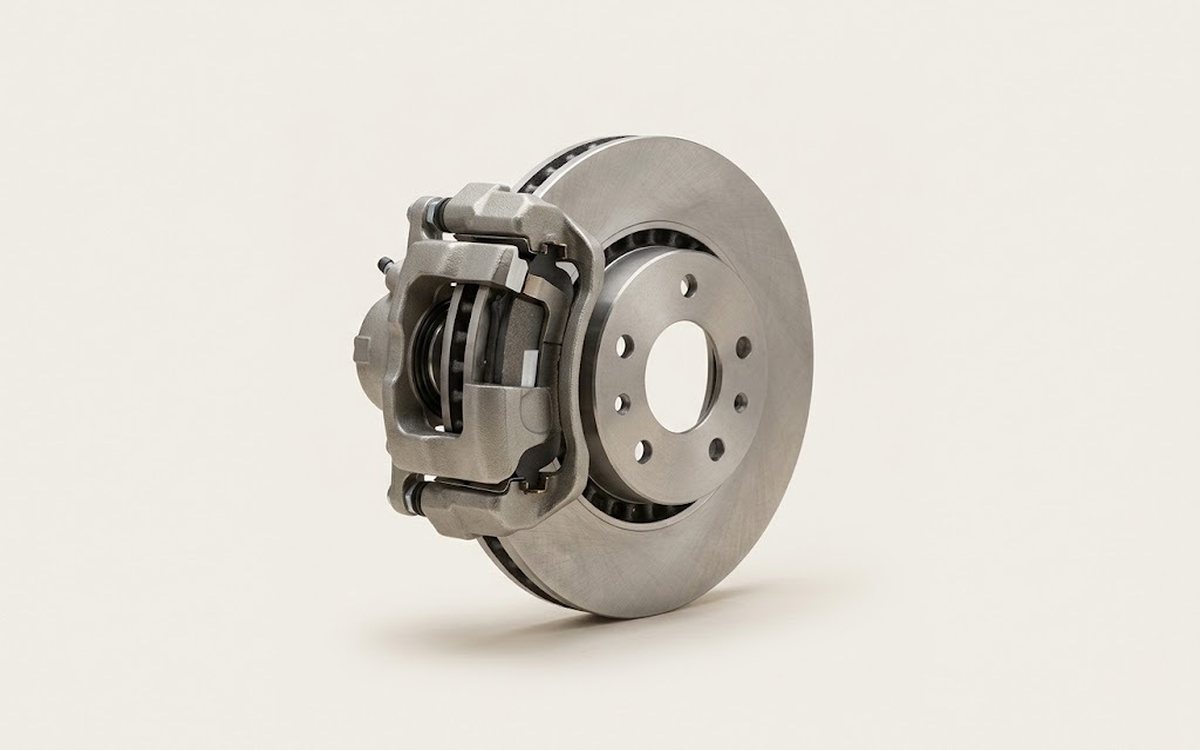
Diagram: where the caliper pads, pins and boots are and what to check
- 1Pads: steel backing and dark friction layer. Measure the layer: replace at 2-3 mm left, always in axle pairs.
- 2Caliper bracket: cast frame with a window. Check the caliper for fluid leaks and sticking: pad pressed and not releasing.
- 3Boots: ribbed rubber covers on the pins. Check they are intact, dry and not cracked.
- 4Guide pins: threaded bolts with a head that the caliper slides on. They must move freely.
- 5Spring clips with a wire tab: sit on the bracket arms by the pads, four in total.
Part
| № | Part |
|---|---|
| 01 | based on diagnostic results. Candidates: front brake pads (with acoustic wear indicator), rear brake pads, front ventilated rotors 280 mm, rear rotors 259 mm, brake fluid, rear brake hose, calipers and repair kits, ABS sensorsFind on Amazon → |
Amazon links search by the part name; use Amazon's fit check for your car before ordering. We may earn a commission from qualifying purchases.
Tools
7Read the codes yourself
A scanner plugged into the OBD2 port under the dashboard shows which fault codes the car has stored, before you buy any parts. Cars sold in the US from 1996, and petrol cars in Europe from 2001 (diesels from 2004), have this port.
- Basic code reader, about $20–40: reads and clears engine codes Amazon →
- Bluetooth scanner with a phone app, about $30–100: live sensor data, and on many cars ABS and airbag codes too Amazon →
Check that the scanner lists your make and model year before you buy. We may earn a commission from qualifying purchases.
 There's a full repair manual for this car
Every system, wiring diagrams and torque specs — not just this job. Haynes AutoFix (online).
See manuals →
Step by step
12 steps- Identify the symptom: squealing or screeching, pedal vibration, longer stopping distance, a "hard" or "spongy" pedal, pulling to one side, or an ABS or brake warning light on. The symptom determines where to start.
- Check the brake fluid level in the reservoir with the engine cold. A level that has dropped to the MIN mark means worn pads or a leak. Replace fluid that has darkened, as well as fluid older than 2 years. Check the fluid type on the reservoir cap and in the maintenance schedule.
- Read the codes with a scan tool, including those from the ABS module. Stored wheel speed sensor codes point to the sensor itself, its wiring, or a dirty tone ring.
- Park the car on level ground, apply the parking brake, loosen the lug nuts, raise the car, set it on jack stands and remove the wheels.
- Measure the pads. Replace them when the friction material is down to about 2-3 mm. New front pads are 16 mm thick and new rear pads are 14 mm thick. Always replace pads in axle sets. Uneven wear between the inner and outer pad points to seized slide pins or a seized caliper piston.
- Check the rotors. Replace a front rotor when it is thinner than 20 mm and a rear rotor when it is thinner than 8 mm. Measure at several points. Deep grooves, a lip at the edge, blue heat spots and runout cause pedal vibration. A light film of rust after the car has been parked goes away after a few stops. Crunching or scraping while driving can come from rust on the rotors or on the ABS sensor rings.
- Inspect the calipers: piston dust boots, fluid leaks, and free movement of the slide pins. A caliper that stays clamped on the pad and does not release causes a hot wheel, a burning smell and pulling to one side.
- Inspect the brake hoses, especially the rear ones (about 325 mm long), and the metal lines. Cracks, bulges, chafing, signs of wetness and rusted lines mean replacement.
- Check the brake booster: with the engine off, press the pedal 4-5 times until it feels hard. Keep the pedal pressed and start the engine. The pedal should sink down gently. If it does not, check the vacuum hose, the check valve and the vacuum pump. For the 2015-2022 Vitara, there is a known service campaign on the brake booster vacuum pump check valve. Check with an authorized Suzuki dealer whether it has been done on your car.
- Check the parking brake and pedal travel. If the pedal sinks to the floor and does not hold pressure, the cause is a leak or air in the system. In that case, bleed the brakes and find the leak.
- When replacing parts: tighten the lug nuts and caliper bolts to the manufacturer's specified torque. Tighten the wheels in a crisscross pattern with a torque wrench. Before driving, press the pedal several times so the pads seat against the rotor, and bed in new pads gently over the first 200 km.
- Test drive at low speed on a safe road: check that there is no pulling, vibration or unusual noise, and that the ABS and brake warning lights have gone out.
Common mistakes and warnings
- Brakes are critical to safety
- If you are not confident in your skills, the pedal sinks to the floor, you see a fluid leak, or the brake warning lights are on, do not drive the car and take it to a repair shop
- Replace brake fluid and pads in axle sets
- Check the exact caliper and wheel torque values against the manufacturer's specifications
 How it works · 3D
How Car Brakes Work
How the part you're working on actually works — in plain English, on a 3D model.
Open in 3D →