Autopapyrus · Haval M6 (2nd generation)
https://autopapyrus.com/guides/haval/m6/rear-brake-pad-replacement/
https://autopapyrus.com/guides/haval/m6/rear-brake-pad-replacement/
Compiled automatically from service literature and owner experience. Specs are for the typical configuration — check them against your exact car before you start.
Haval M6 (2nd generation): Rear Brake Pad Replacement
On the second-generation Haval M6, the rear brake pads are replaced by removing the electric parking brake motor and manually retracting the parking brake mechanism with a Torx key. After installing new pads, the electronic parking brake must go through an automatic adaptation.
Part
- 🔩 Rear brake pads: OE 3502315XKZ16A (axle set, 4 pcs.), aftermarket alternatives: MILES E510151, Sangsin SP2263, Hanmo HM01058. You will also need caliper guide pin grease (TRW PFG110 or equivalent) and blue threadlocker
Step by step
17 steps- Release the parking brake by holding the button, then turn off the engine. Open the cap of the brake fluid reservoir on the master cylinder (under the hood).
- Lift the rear wheel with a jack, place jack stands under the body, and remove the wheel.
- Using a 5 mm hex key, remove the two bolts securing the parking brake electric motor to the caliper. Carefully remove the motor without damaging the connector.
- Insert a T45 Torx key into the mechanism shaft (inside the caliper) and turn it clockwise (counterclockwise if you are looking at the caliper from the rotor side) to retract the inner piston and free the pads.
- Using a 10 mm wrench, remove the bolt securing the brake hose bracket to the caliper. This gives you enough slack to remove the caliper.
- While holding the caliper guide pin with a 15 mm wrench, use a 13 mm socket to remove the two caliper mounting bolts (upper and lower). Remove the caliper and hang it from the spring with wire. Do not let it hang by the hose.
- Remove the old pads from the brackets and take out the metal retaining clips (if equipped). Use brake cleaner and a brush to remove dust from the brackets, guide pins, and piston.
- Check the condition of the rubber guide pin boots and replace them if worn. Apply fresh high-temperature grease to the guide pins (even if they look greased, the grease often dries out).
- Press the caliper piston back in with a C-clamp or a wide flat-blade screwdriver (do not rotate it, just apply pressure). Watch the fluid level in the reservoir and remove any excess with a syringe.
- Install the new retaining clips (supplied with the pads) and fit the new pads into the brackets. Place the caliper over the pads and align the holes with the guide pins.
- Tighten the caliper mounting bolts to 30-35 N·m (22-26 lb-ft) (confirm the exact value in the service manual). Secure the brake hose bracket with the 10 mm bolt.
- Reinstall the parking brake motor and tighten the two 5 mm hex bolts with a drop of blue threadlocker.
- Repeat the procedure on the other rear wheel (it is important to replace both sides at the same time so the electric motors work in sync).
- Install the wheels, tighten the lug bolts in a crisscross pattern to 110-130 N·m (81-96 lb-ft), and lower the vehicle.
- Close the brake fluid reservoir cap. Start the engine and press the brake pedal slowly all the way down several times (so the pistons seat against the pads).
- Activate the electronic parking brake with the button. The motors will automatically perform the adaptation and move the mechanisms up to the new pads. Release the parking brake and turn off the engine. The adaptation is complete.
- Bed in the pads over the first 200-300 km: avoid hard braking and condition the pads with smooth, gentle stops.
Common mistakes and warnings
- If you try to push the piston in without removing the electric motor, you will damage the internal gears of the mechanism. Some owners report a slight knocking noise after replacement. Make sure the guide pins are generously greased and the pads sit freely in the brackets.
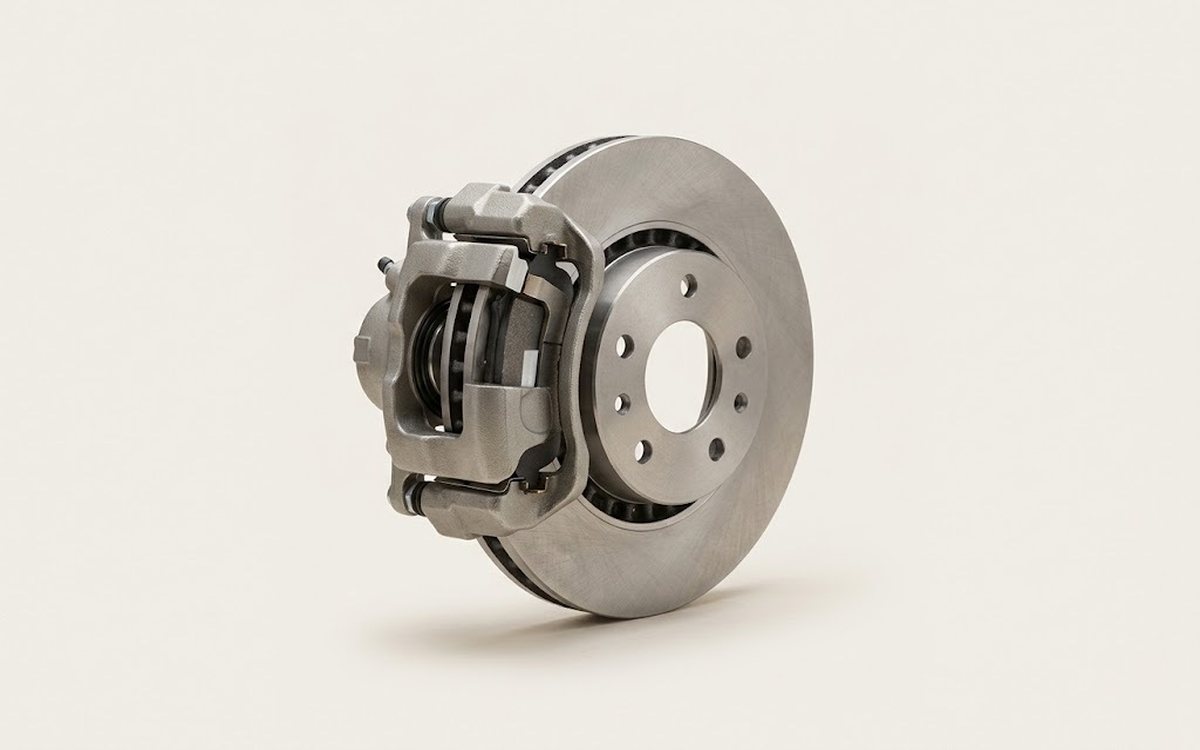 How it works · 3D
How Car Brakes Work
How the part you're working on actually works — in plain English, on a 3D model.
Open in 3D →
How it works · 3D
How Car Brakes Work
How the part you're working on actually works — in plain English, on a 3D model.
Open in 3D →