Autopapyrus · Lada Iskra
https://autopapyrus.com/guides/lada/iskra/front-suspension-ball-joint-replacement/
https://autopapyrus.com/guides/lada/iskra/front-suspension-ball-joint-replacement/
Compiled automatically from service literature and owner experience. Specs are for the typical configuration — check them against your exact car before you start.
Lada Iskra: Front Suspension Ball Joint Replacement
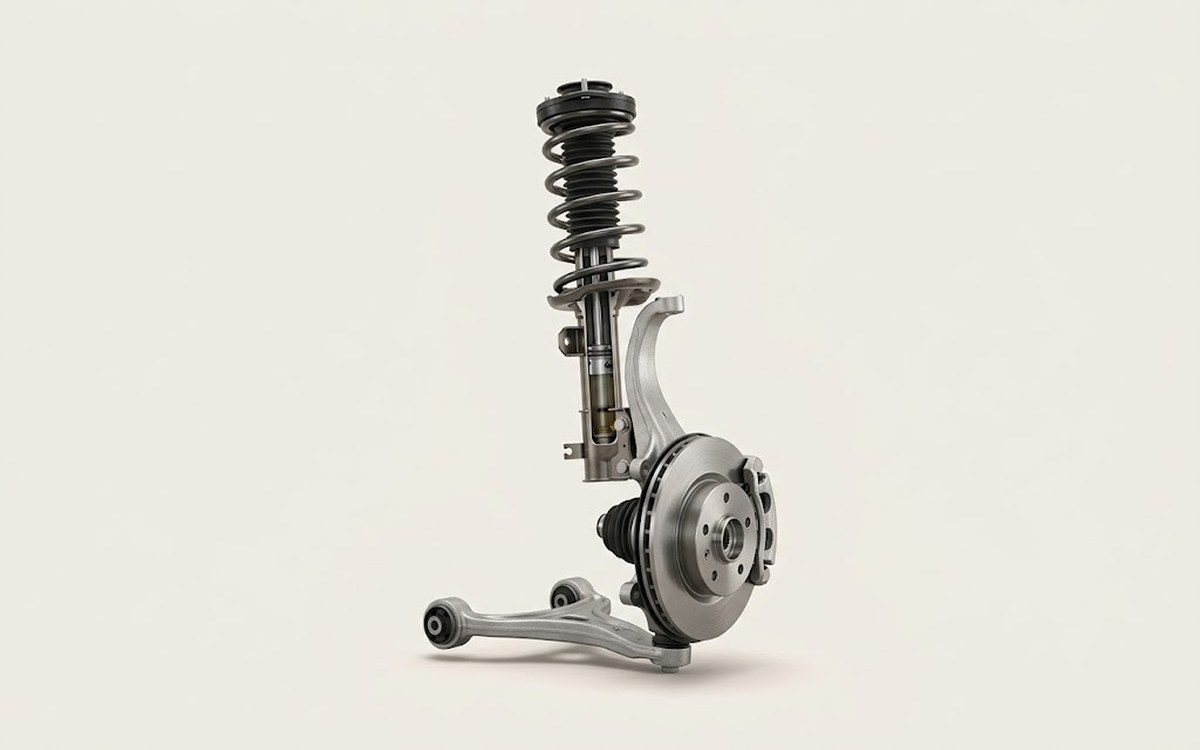
The Lada Iskra is built on the XJO platform (a development of the Renault-Nissan CMF-B) with an independent MacPherson strut front suspension. The ball joints are integrated into the lower control arms. When worn, you replace either the ball joint alone (press out and press in) or the whole control arm assembly. Signs of wear include a knock over bumps, vertical play in the wheel, and creaking when turning.
Part
- 🔩 right ball joint 8450022161, left 8450022162 (reinforced versions with synthetic grease and ZnNi coating, used on CMF-B/XJO platform models). Alternative part number: 8450006741/42 (older design, before 2018)
Step by step
11 steps- Park the car on level ground, apply the parking brake, and engage first gear (or P for an automatic). Loosen the lug bolts on the front wheel on the side being serviced.
- Raise the front of the car with the jack and place jack stands under the rocker panels or frame rails. Remove the wheel completely.
- Clean the threaded connections of the ball joint with a brush. Treat the nut that secures the stud to the steering knuckle (21 mm) and the bolts that secure the ball joint to the control arm (if you are replacing only the ball joint: 16 or 18 mm, confirm on the car) with WD-40. Let it soak for 10-15 minutes.
- Remove the ball joint stud nut with a 21 mm wrench (the factory torque was 50-70 N·m (37-52 lb-ft), so it may take considerable force). Do not throw away the cotter pin or the locking nut, if the design uses one.
- Install the ball joint puller on the stud and slowly tighten the puller screw until the stud pops out of the steering knuckle taper. If you don't have a puller, you can carefully strike the side of the knuckle eye with a hammer (this risks damaging the threads and the taper, so it is not recommended).
- If you are replacing only the ball joint (not the whole arm), remove the 3 bolts that secure the ball joint to the control arm (16 or 18 mm socket). Remove the old ball joint. If you are replacing the whole control arm, remove the two bolts that secure the arm to the subframe and take out the arm as an assembly.
- Install the new ball joint in the control arm (if replacing it separately) and tighten the bolts evenly in a crisscross pattern to a preliminary torque. Insert the ball joint stud into the steering knuckle taper.
- Thread the new self-locking nut onto the stud and tighten it with a torque wrench to 50-70 N·m (37-52 lb-ft). For the CMF-B platform the exact value falls within this range, and 60 N·m (44 lb-ft) is recommended. If a cotter pin is specified, install it.
- Tighten the bolts that secure the ball joint to the control arm to the final torque of 20-30 N·m (15-22 lb-ft) (if you replaced the ball joint separately). If you installed the whole control arm, tighten the arm-to-subframe bolts to the specified torque (check the technical documentation; approximately 80-100 N·m (59-74 lb-ft)).
- Install the wheel and snug the bolts by hand. Lower the car to the ground and tighten the lug bolts in a crisscross pattern with a torque wrench (the tightening torque for Lada is usually 80-100 N·m (59-74 lb-ft)).
- After the replacement, be sure to have the wheel alignment (camber and toe) checked and adjusted on an alignment rack, otherwise the tires will wear unevenly.
Common mistakes and warnings
- Do not drive the car with worn ball joints. If a ball joint fails, the wheel folds outward and you lose steering control completely. After replacement, a suspension geometry check on an alignment rack is mandatory. The stud nut torque is critical: too loose causes play, and too tight damages the taper.
 How it works · 3D
How Car Suspension Works
How the part you're working on actually works — in plain English, on a 3D model.
Open in 3D →
How it works · 3D
How Car Suspension Works
How the part you're working on actually works — in plain English, on a 3D model.
Open in 3D →