Autopapyrus · Dodge Stratus (2nd generation)
https://autopapyrus.com/guides/dodge/stratus/front-brake-rotor-replacement/
https://autopapyrus.com/guides/dodge/stratus/front-brake-rotor-replacement/
Compiled automatically from service literature and owner experience. Specs are for the typical configuration — check them against your exact car before you start.
Dodge Stratus (2nd generation): Front Brake Rotor Replacement
On a 2001 front-wheel-drive Stratus with the 2.4 L engine, the rotors are replaced in pairs, usually together with the pads. The job comes down to removing the caliper and bracket, removing the old rotor, and installing the new one on a cleaned hub. Check the manufacturer's specifications for the exact fastener torque values for the caliper. The values below are for reference only.
Part
- 🔩 front brake rotors (vented), one for each side of the axle, plus a set of front brake pads. Rotors must be replaced in pairs. The rotor part number depends on size and trim, so match it by catalog to your exact brake configuration
Step by step
15 steps- Park the vehicle on level ground, put it in first gear or P, and chock the rear wheels. Loosen the front lug nuts half a turn while the wheel is still on the ground.
- Raise the front of the vehicle, set it on jack stands under the rocker panels or the subframe, and remove the wheel.
- Inspect the caliper and hose. If you plan to reuse the pads, mark their positions. To push the piston back, you can loosen the brake fluid reservoir cap slightly. Make sure the fluid does not overflow, because it damages paint.
- Remove the two caliper guide pin bolts and lift the caliper off the rotor. If the caliper does not come off easily, rock it gently. Do not disconnect the brake hose.
- Hang the caliper from the suspension spring with wire or a zip tie. Do not leave it hanging by the hose.
- Remove the pads. Remove the two caliper bracket (adapter) bolts on the steering knuckle side and take off the bracket. The bracket bolts are tightened firmly, so use a long breaker bar or a socket on a ratchet with a cheater pipe.
- Remove the old rotor from the hub. If it is stuck, tap it with a rubber mallet on the hat section and treat it with penetrating oil. Rotor retaining clips or screws are sometimes installed at the factory and must be removed first.
- Clean the hub mounting surface with a wire brush down to bare metal. Rust or dirt causes lateral runout of the new rotor and pedal vibration.
- Degrease the new rotor with brake cleaner if the protective coating has not been removed. Slide the rotor onto the hub studs and, if needed, hold it temporarily with a couple of lug nuts.
- Install the caliper bracket and tighten its bolts. Reference value: about 100-130 N·m (74-96 lb-ft); verify the exact value in the specifications. Use new bolts or fresh thread locker if new hardware comes with the kit.
- Clean the guide pins and lubricate them with brake copper grease. Install the pads (apply anti-squeal compound to the contact surfaces, but not to the friction material). If the pads are new, press the caliper piston all the way in with a C-clamp.
- Install the caliper and tighten the guide pin bolts. Reference value: 25-35 N·m (18-26 lb-ft); verify the exact value in the manufacturer's specifications.
- Install the wheel, tighten the lug nuts in a crisscross pattern, and lower the vehicle. Tighten the lug nuts with a torque wrench in two stages. Reference value for the Stratus: about 129 N·m (95 lb-ft).
- Repeat the procedure on the other side. Before driving, pump the brake pedal several times until it firms up so the pads seat against the rotors. Check the brake fluid level in the reservoir and top it off if needed.
- Bed in the brakes: make 8-10 brake applications from 50-60 km/h down to 20-30 km/h without coming to a full stop, then let the brakes cool. Avoid hard stops for the first 200-300 km.
Common mistakes and warnings
- Brakes affect safety. If you are not confident in your skills, leave the work to a repair shop. After assembly, be sure to check that the pedal feels firm and that there are no fluid leaks. Always replace rotors in pairs and check the minimum thickness stamped on the rotor edge. Do not touch the working surface of the new rotor with your hands, and do not leave oil or grease on it.
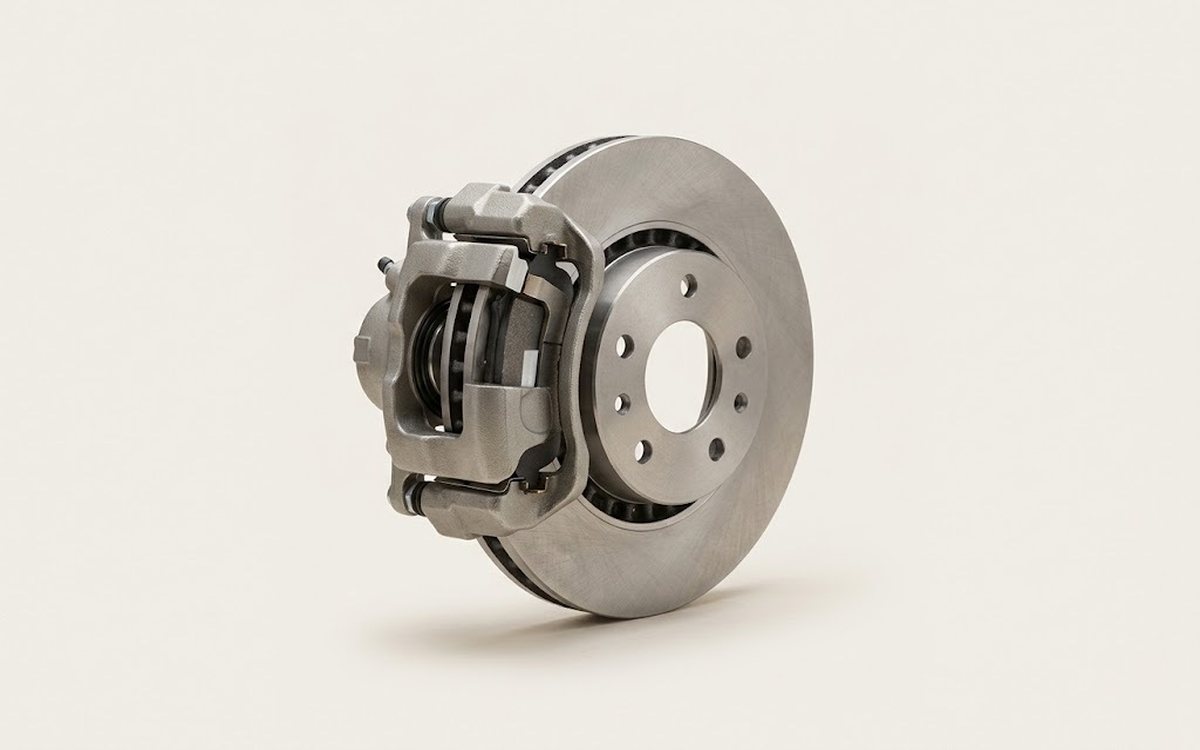 How it works · 3D
How Car Brakes Work
How the part you're working on actually works — in plain English, on a 3D model.
Open in 3D →
How it works · 3D
How Car Brakes Work
How the part you're working on actually works — in plain English, on a 3D model.
Open in 3D →