Autopapyrus · Hyundai Creta (1st generation)
https://autopapyrus.com/guides/hyundai/creta/rear-brake-disc-replacement/
https://autopapyrus.com/guides/hyundai/creta/rear-brake-disc-replacement/
Compiled automatically from service literature and owner experience. Specs are for the typical configuration — check them against your exact car before you start.
Hyundai Creta (1st generation): Rear Brake Disc Replacement
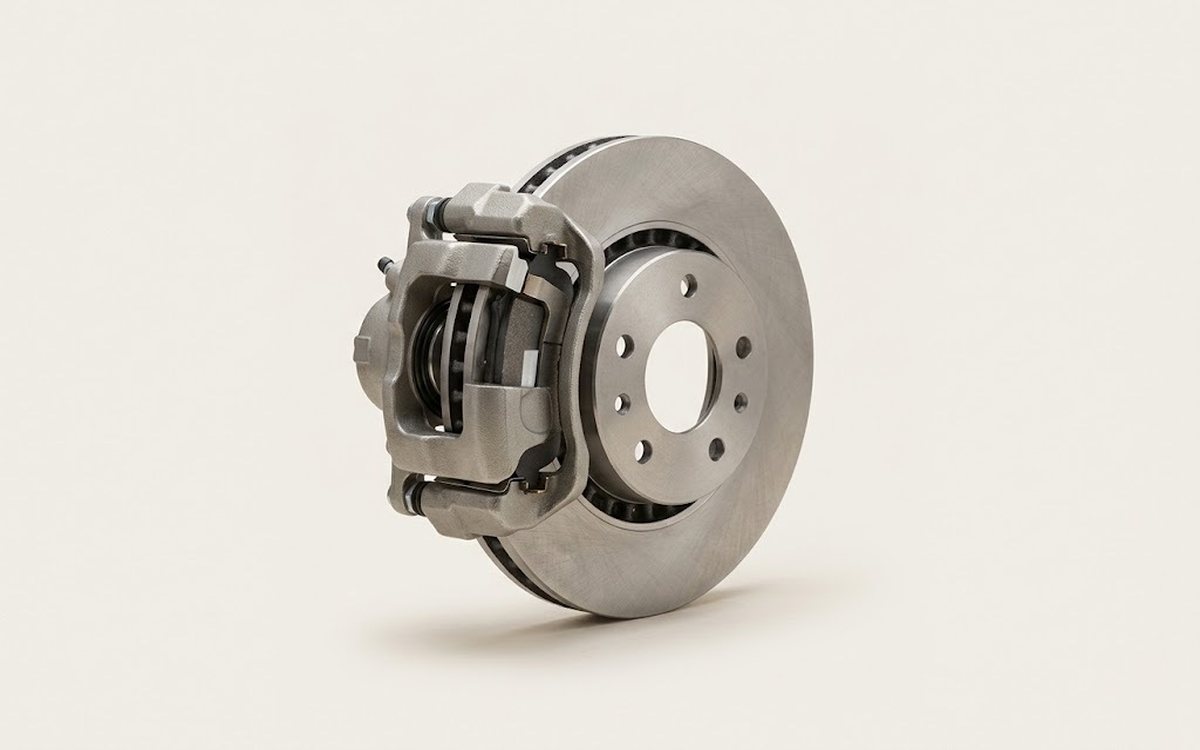
On a Creta with rear disc brakes, the rotor sits on the hub and is held in place by the wheel studs. The caliper has a built-in parking brake mechanism, so the piston is not pushed back in but wound back in. Brake discs are replaced in pairs on both sides, usually together with the pads.
Part
- 🔩 Hyundai Creta rear brake discs (rear rotor, set of 2 per axle), OE or quality aftermarket. It is recommended to replace the rear brake pads as well (one set per axle)
Tools
10- Jack and jack stands
- lug wrench
- torque wrench
- sockets and open-end wrenches (typically 12-17 mm, for the caliper and bracket bolts)
- hex bit socket for the caliper guide pins
- brake caliper piston wind-back tool set (or an adjustable wrench with an adapter)
- wire for hanging the caliper
- wire brush
- brake cleaner
- copper grease for the guide pins and hub
Step by step
15 steps- Park the vehicle on a level surface, chock the front wheels, and release the parking brake. Loosen the lug nuts on the rear wheel by half a turn.
- Lift the rear of the vehicle, place jack stands under the body, and remove the wheel.
- Remove the two lower/guide bolts of the caliper and lift the caliper off the bracket. Do not disconnect the brake hose. Hang the caliper from the suspension spring with wire so the hose is not under tension.
- Take out the pads and note their positions. Inspect the pads, the guide pin boots, and the piston boot.
- Remove the two bolts that secure the caliper bracket to the steering knuckle, then take off the bracket. These bolts are tightened to a high torque, so use a long handle.
- Remove the old rotor. If it is stuck to the hub, tap it with a rubber mallet from the back of the hat section. Do not strike the friction surface. If necessary, treat the mating surface with penetrating oil.
- Clean the hub mounting surface with a wire brush down to bare metal. This prevents runout of the new rotor. Apply a thin layer of copper grease to the centering ring (hub pilot).
- Degrease the new rotor with brake cleaner and remove the protective coating from the friction surfaces. Place the rotor onto the hub.
- Install the caliper bracket. Tighten the bracket bolts to approximately 65-80 N·m (48-59 lb-ft); check the exact value against the manufacturer's specification.
- Wind the caliper piston back in with the proper tool, turning it clockwise while applying light pressure. Do not force the piston in, or the parking brake mechanism will break. Make sure the boot is not pinched.
- Lubricate the guide pins, install the pads, fit the caliper, and tighten the caliper bolts to approximately 22-32 N·m (16-24 lb-ft), per the manufacturer's specification.
- Repeat the procedure on the other side. Install the wheels and tighten the lug nuts in a crisscross pattern in two stages to 90-110 N·m (66-81 lb-ft) after lowering the vehicle onto its wheels.
- Pump the brake pedal several times until it feels firm, check the brake fluid level in the reservoir, and top up if necessary.
- Check the parking brake operation. If necessary, adjust the lever travel (adjustment nut under the lever, or per the instructions for your trim level).
- Take a test drive and make 8-10 gentle stops from medium speed to bed in the brakes. Avoid hard braking for the first 200-300 km.
Common mistakes and warnings
- The brake system is critical to safety
- If you have no experience working on brakes, have the work done at a repair shop
- Do not replace the rotor on just one side; always replace them in pairs on the axle
- Do not press the brake pedal while the caliper is removed, as the piston may pop out
- Do not touch the friction surface of the new rotor with your hands
- If your trim level has rear drum brakes, these instructions do not apply
 How it works · 3D
How Car Brakes Work
How the part you're working on actually works — in plain English, on a 3D model.
Open in 3D →
How it works · 3D
How Car Brakes Work
How the part you're working on actually works — in plain English, on a 3D model.
Open in 3D →