Autopapyrus · Hyundai Tucson (4th generation, NX4)
https://autopapyrus.com/guides/hyundai/tucson/rear-brake-disc-and-pad-replacement/
https://autopapyrus.com/guides/hyundai/tucson/rear-brake-disc-and-pad-replacement/
Compiled automatically from service literature and owner experience. Specs are for the typical configuration — check them against your exact car before you start.
Hyundai Tucson (4th generation, NX4): Rear Brake Disc and Pad Replacement
On the Tucson NX4, the rear caliper has an electronic parking brake: an electric motor is built into the caliper and moves the piston itself. Because of this, you must not push the piston back by hand or with a clamp. First put the EPB into service mode, otherwise you can damage the caliper actuator.
Part
- 🔩 Rear brake discs (vented or solid, depending on trim; compare the diameter and hat height with the old disc, as the height differs on versions with EPB), rear brake pad set with hardware kit (springs, guides), caliper guide pin grease. Always replace pads and discs as a set on both sides of the axle
 There's a full repair manual for this car
Every system, wiring diagrams and torque specs — not just this job. Haynes AutoFix (online) and 2 more.
See manuals →
There's a full repair manual for this car
Every system, wiring diagrams and torque specs — not just this job. Haynes AutoFix (online) and 2 more.
See manuals →
Step by step
18 steps- Park the vehicle on level ground, turn off the engine, and shift into P (automatic transmission) or first gear. Place wheel chocks under the front wheels. Loosen the rear wheel lug nuts half a turn.
- Put the EPB into service mode. If your trim has a built-in procedure (a combination of presses of the parking brake switch with the ignition on), use it. Otherwise, connect a scan tool and select the maintenance/rear pad release function. Wait for the characteristic motor sound and confirmation on the instrument cluster. Release the parking brake, and after entering the mode, do not apply it again until the work is finished.
- Raise the rear of the vehicle, place jack stands under the body (only at the factory lifting points), and remove the wheels.
- With service mode active, disconnect the caliper motor connector only if the procedure requires it; otherwise leave it connected. Usually it is enough not to touch the wiring. Do not pull on the wire or let the caliper hang from it.
- Remove the two lower/guide bolts of the caliper and lift the caliper with the pads off the disc. Hang the caliper with wire from the suspension spring or control arm, without bending or stretching the brake hose and the motor cable.
- Remove the pads from the bracket, and note the position of the springs, anti-squeal shims and wear sensors, if present. Remove the caliper bracket by unbolting the two bolts that attach it to the steering knuckle. This is necessary to install the disc, and when replacing the disc the bracket is also cleaned.
- Remove the old disc. If it is stuck, tap the hat from the hub side with a rubber mallet and apply penetrating oil. Do not hit the friction surface. If there is a disc retaining screw, remove it first.
- Clean the hub mounting surface with a wire brush, removing rust and dirt down to bare metal. Any layer of rust causes disc runout and brake pedal vibration.
- Degrease the new disc with brake cleaner and remove the protective coating from the friction surfaces. Install the disc and tighten the retaining screw, if there is one.
- Clean and inspect the bracket, guide pins and boots. Lubricate the pins with special caliper grease (do not use copper grease on rubber parts unless the grease manufacturer approves it). Install the bracket and tighten the mounting bolts to the Hyundai specification for the rear axle (usually in the range of 60-100 N·m (44-74 lb-ft); verify the exact value in the service manual).
- Clean the bracket slots and apply a thin layer of grease to the pad contact areas (only the metal edges, not the friction material). Install the new pads with the hardware kit in the correct position, then fit the caliper.
- The piston is held retracted by service mode, so the caliper should slide over the new pads easily. If it does not fit, do not force it: check that the mode is active and that the piston is fully retracted.
- Tighten the caliper guide bolts to specification (guideline 20-35 N·m (15-26 lb-ft); verify the exact value in the service manual for your model). Make sure the boots seat correctly without twisting.
- Take the EPB out of service mode using the same method (by procedure or with the scan tool). The motor will bring the piston up to the pads and perform a calibration. This is normal, and you will hear a short characteristic operating sound.
- Repeat everything on the other side. If you are inexperienced, do not disassemble both sides at the same time, so that you keep a reference for reassembly.
- Install the wheels, hand-tighten the lug nuts, lower the vehicle, and tighten them in a crisscross pattern with a torque wrench. The torque for Tucson lug nuts is usually 100-120 N·m (74-89 lb-ft) (verify in the owner's manual).
- Before driving off, pump the brake pedal several times until it feels firm, and check the brake fluid level (top up to the MAX mark if necessary). Apply and release the EPB several times and make sure there are no warning messages on the instrument cluster.
- Bedding-in: drive 200-300 km (125-185 miles) moderately, without hard braking from high speeds, so the pads and discs bed in. Squealing and slight vibration during the first kilometers are normal.
Common mistakes and warnings
- The brake system is critical for safety. If you have no experience working on brakes and EPB, and do not have a scan tool for service mode, have the work done at a repair shop. Never push the piston of a rear caliper with EPB back with a clamp or by turning it by hand without service mode: this breaks the actuator mechanism. After the work, be sure to test the brakes at low speed in a safe area. The torque values in the steps are given as guidelines; verify the exact values for your version against the manufacturer's specifications.
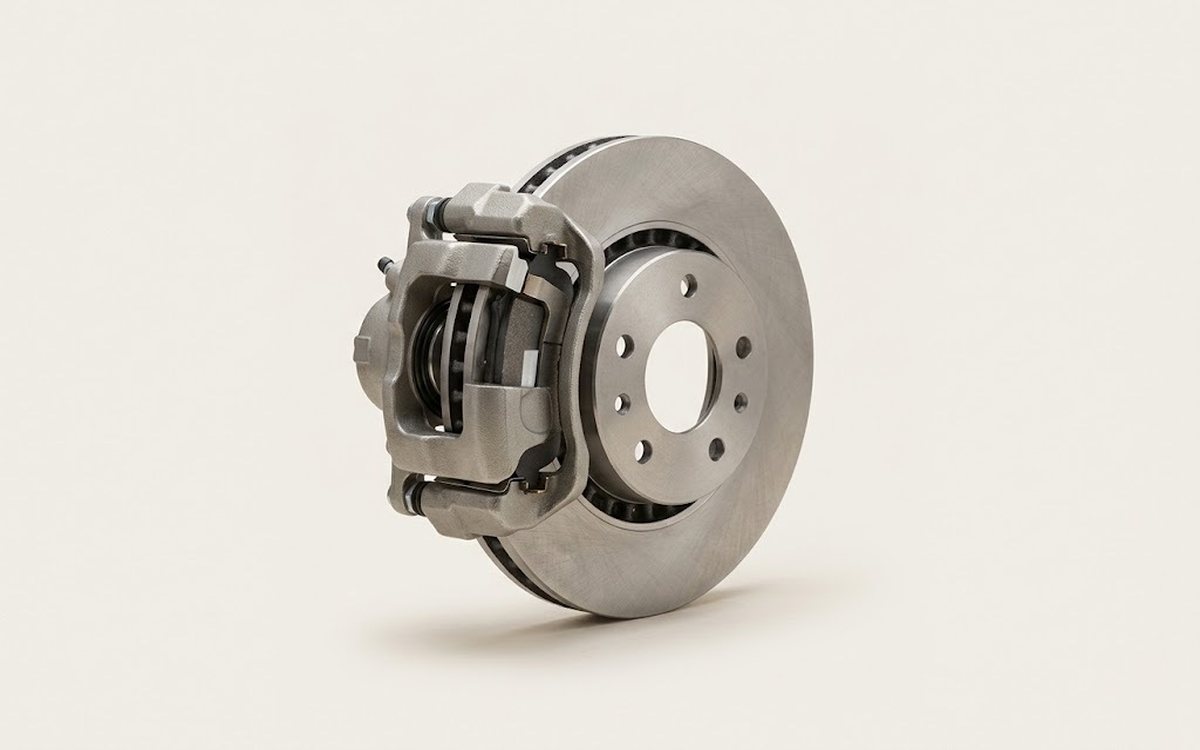 How it works · 3D
How Car Brakes Work
How the part you're working on actually works — in plain English, on a 3D model.
Open in 3D →
How it works · 3D
How Car Brakes Work
How the part you're working on actually works — in plain English, on a 3D model.
Open in 3D →